Article to LinkedIn video
Turn an article you wrote into a narrated video with captions, in widescreen or vertical, to share with your network.
Make my video S$5.88 per video. First video free with code FIRSTVIDEO.
How it works
Send your words
Paste a public article link, paste the text (300 to 6,000 words) or upload one PDF, DOCX, TXT or MD file.
Choose the look and the voice
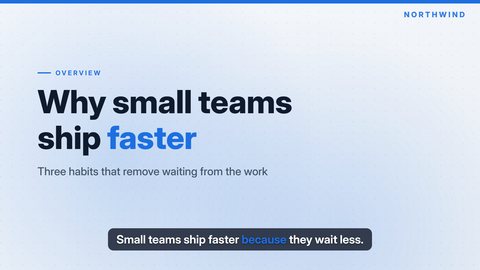
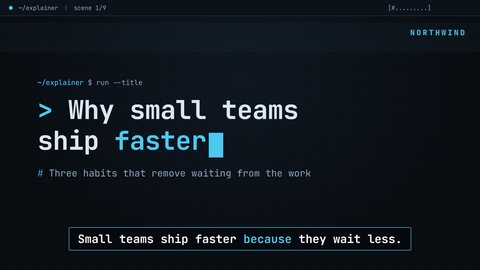
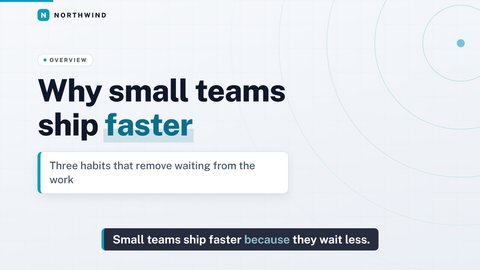
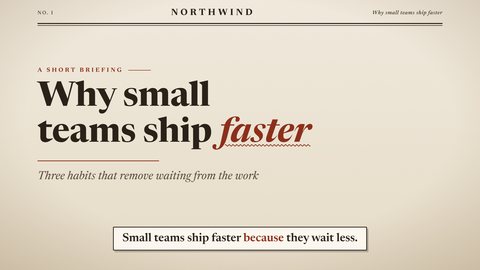
Pick one of four templates and one of four voices, 16:9 or 9:16, short or standard length. Add captions, music, a logo and a closing button if you like.
Preview, accept, download
Watch a 480p preview first. When you accept, you get the 1080p MP4 and an SRT captions file.
Your article, your brand name
Show your name or your company's in the corner, add a logo, and end on a button scene with your own text and link, such as a page where people can read the full article.
Pick the shape
Widescreen (16:9) or vertical (9:16): both are one choice at order time.
Light and professional
Clean and Signal are light, tidy templates with white cards. Paper gives an essay an editorial look. See them on the templates page.
Pick a template
Questions
Do you post to LinkedIn?
No. We deliver the MP4 and an SRT file; you upload them.
Can I put my company logo in?
Yes. Send a PNG, JPG or SVG up to 2 MB.
Can I add a link at the end?
Yes. A closing button scene with your own text and URL is optional.
How long does it take?
Your video is delivered to your order's Result Room within 24 hours. You can watch a 480p preview there before you accept it.
How much does it cost?
S$5.88 per video, one-time. Your first video is free with the code FIRSTVIDEO, which you redeem in your free My E2 account under Credits.
Make your first video
S$5.88 per video, delivered within 24 hours, with a preview before you accept.
The narration in this video is generated with an AI voice.