Blog to video
Send a blog post link or paste its text. Words2Video turns it into a narrated video with captions: a voice reads your words, scenes show the key points, and a closing button points viewers to you.
Make my video S$5.88 per video. First video free with code FIRSTVIDEO.
How it works
Send your words
Paste a public article link, paste the text (300 to 6,000 words) or upload one PDF, DOCX, TXT or MD file.
Choose the look and the voice
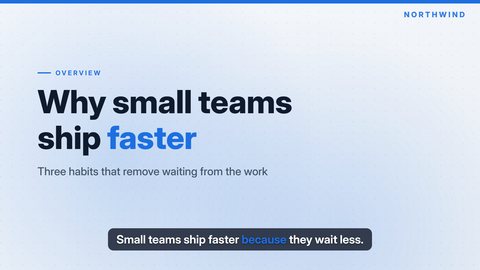
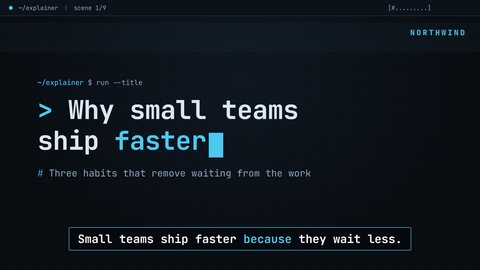
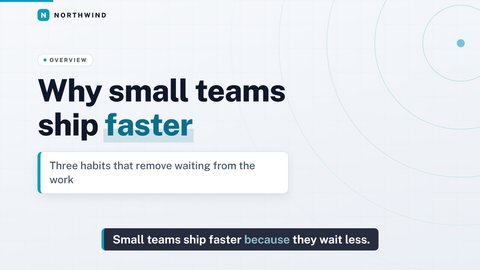
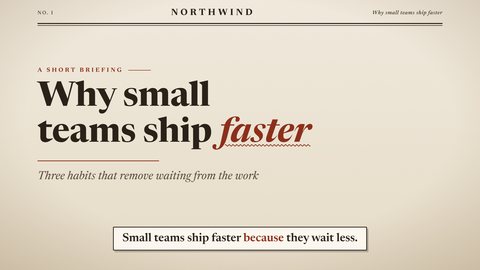
Pick one of four templates and one of four voices, 16:9 or 9:16, short or standard length. Add captions, music, a logo and a closing button if you like.
Preview, accept, download
Watch a 480p preview first. When you accept, you get the 1080p MP4 and an SRT captions file.
What you get
A 1080p MP4 with no watermark and an SRT captions file. The narration follows what your post actually says, so the video says what you wrote and not what a model guesses you meant. A title scene opens it and, if you ask for one, a button scene with your text and link closes it.
Where the scenes come from
Your headings, lists, numbers and quotes become scenes: bullet lists, key-number cards, quote callouts and comparisons, all in the template you choose. If your post has images you want in the video, you can send up to six.
A real example
The video above was made from a public page on goe2.com. It is one of ten example videos built from our own pages, including the awkward spots, so you can judge the output before you order.
Pick a template
Questions
Can I send a link instead of pasting the text?
Yes. Send the link to a public post, or paste the text (300 to 6,000 words), or upload one file. If your post sits behind a login or paywall, paste the text or upload it as a file.
Does the video use my own images?
You can send up to six images (JPG or PNG, 5 MB each) and a logo (PNG, JPG or SVG, 2 MB). Posts without images still work: the template builds scenes from the text.
Who owns the finished video?
You do.
How long does it take?
Your video is delivered to your order's Result Room within 24 hours. You can watch a 480p preview there before you accept it.
How much does it cost?
S$5.88 per video, one-time. Your first video is free with the code FIRSTVIDEO, which you redeem in your free My E2 account under Credits.
Make your first video
S$5.88 per video, delivered within 24 hours, with a preview before you accept.
The narration in this video is generated with an AI voice.